About Get it! @ Waterloo
When searching many of the Libraries' databases, you'll notice the “Get it @ Waterloo” symbol that appears beside articles' citation information.

This button is a link that checks if the Libraries have the article in its ejournal collection or in the Libraries catalogue.
Note: The “Get it @ Waterloo” symbol doesn’t mean that Waterloo always has access to the item — it's just your link for checking for access.
Use Get it! @ Waterloo from databases
1. Once you found an article in a database, look for the Get it! @ Waterloo button.
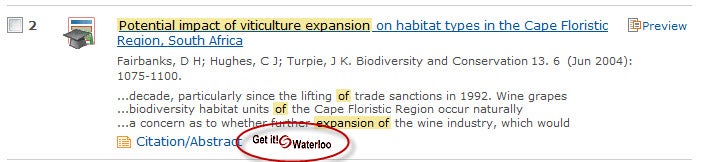
2. Click on this button; a new window will open.
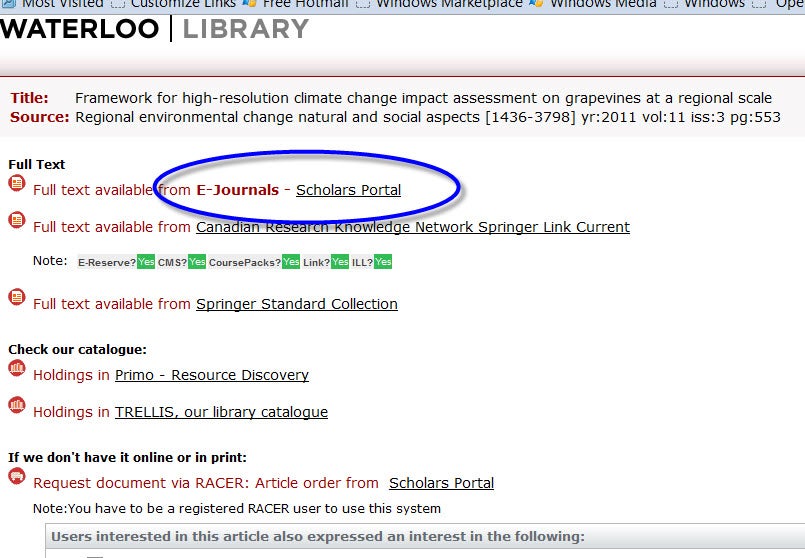
3. The Get it! @ Waterloo menu lists up to three different link options, depending on how the item is available:
- Full text:
Link directly to the full-text article. In some cases, you will be linked to the journal's table of contents or the journal website. - Check our catalogue:
Search in the Libraries' catalogue to see if the item is available in print - If we don't have it online or in print:
Ask for the article through Interlibrary loan (ILL)
If you have any questions, Ask us.