*You must have a Course Reserves account and have already created the course in order to add an item to it from Omni.
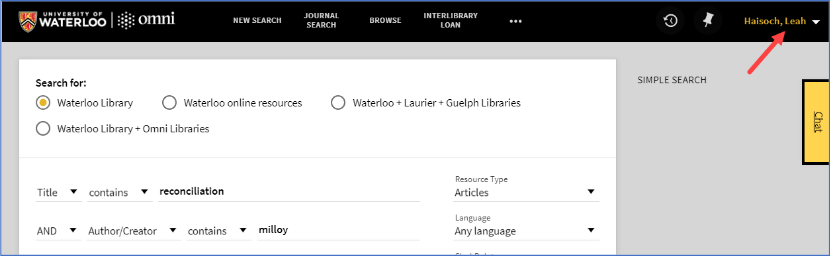
*You must be logged in to Omni to see the “Send to Course Reserves” option(s).
- Sign in to Omni.
- Perform an article search.
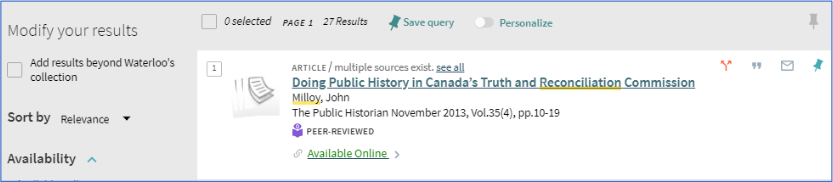
- Click on an article to view the full display.
- Click on “Links” from the left-side menu.
- Available “Send to” options will be listed. In this case we see the Book option as well as E-Article. Please ignore the book option for articles.
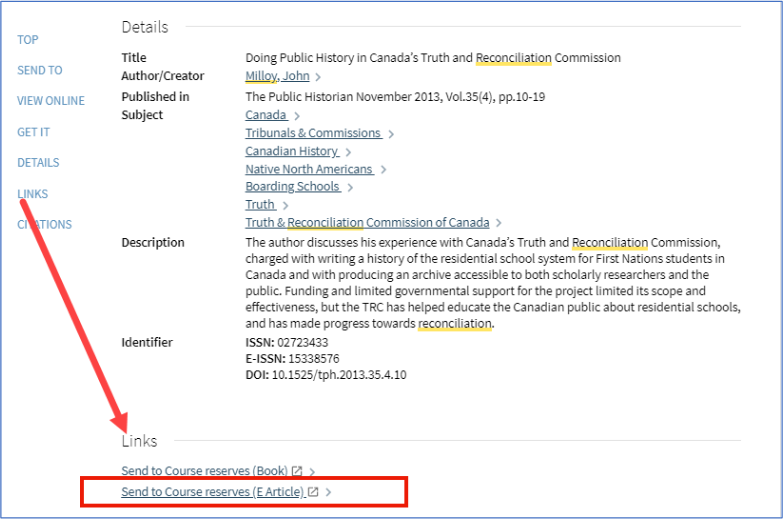
- Click on “Send to Course reserves (E-Article)”.
- The Course Reserves logon page opens in a new tab.
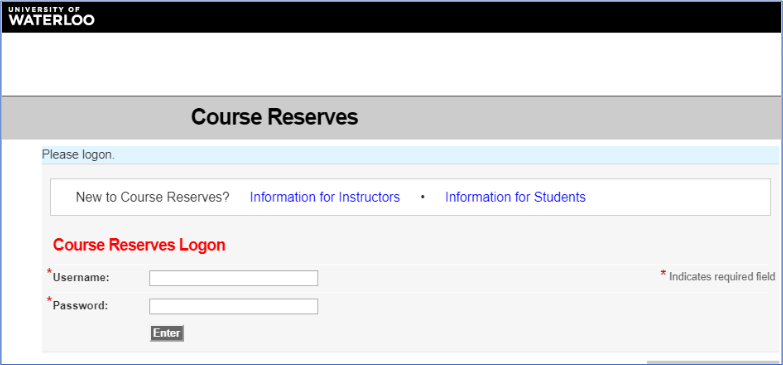
- Log in with your Waterloo (WatIAM) username and password.
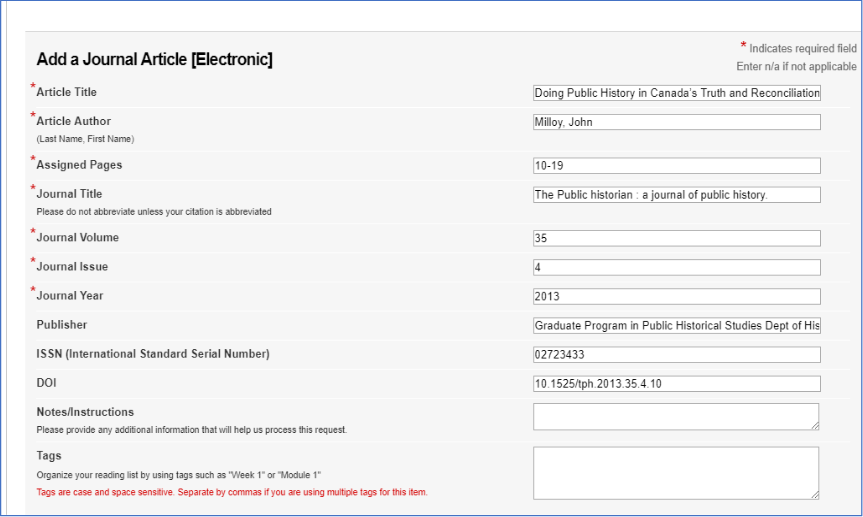
- The corresponding item request form opens and auto-populates with metadata from the catalogue record.
- Select how the requested material will be supplied.
- Select the course to add the item to.
- This is why the course needs to be created ahead of time.
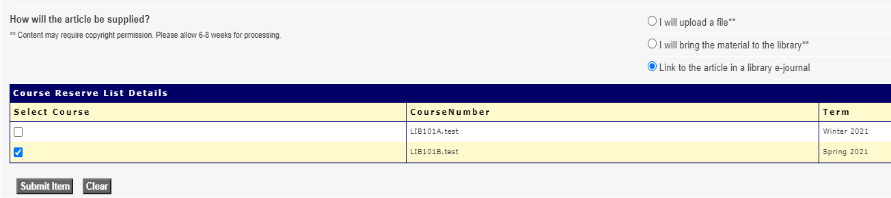
- Click the “Submit Item” button.
- The item request will be added to the select course(s).
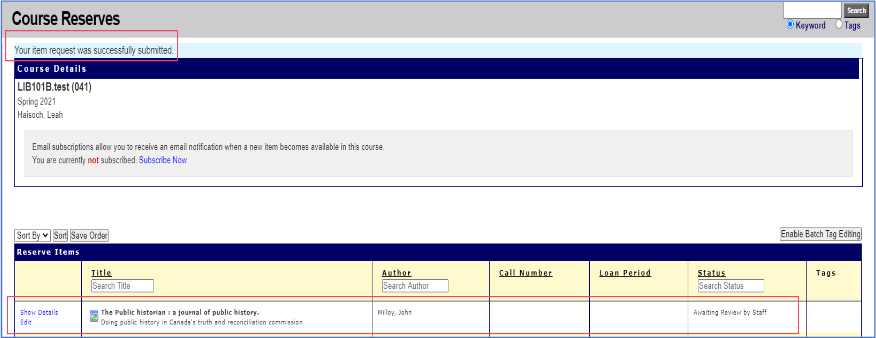
As long as you stay logged in to Course Reserves and Omni, you can continue to add more items using the “Send to” options without having to log in again each time.