Employee salary advices do not reflect any promotion or reclassifications, if applicable, effective May 1 of the current year or later. If you have any questions about your salary increase, please contact your department head or faculty executive officer.
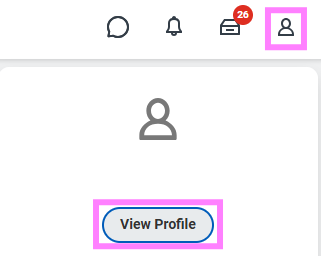
- At the top right of the Workday screen, click the profile icon to select View Profile.
- Click the Personal tab from your Worker Profile menu.
- Click the Documents subtab at the top of the screen.
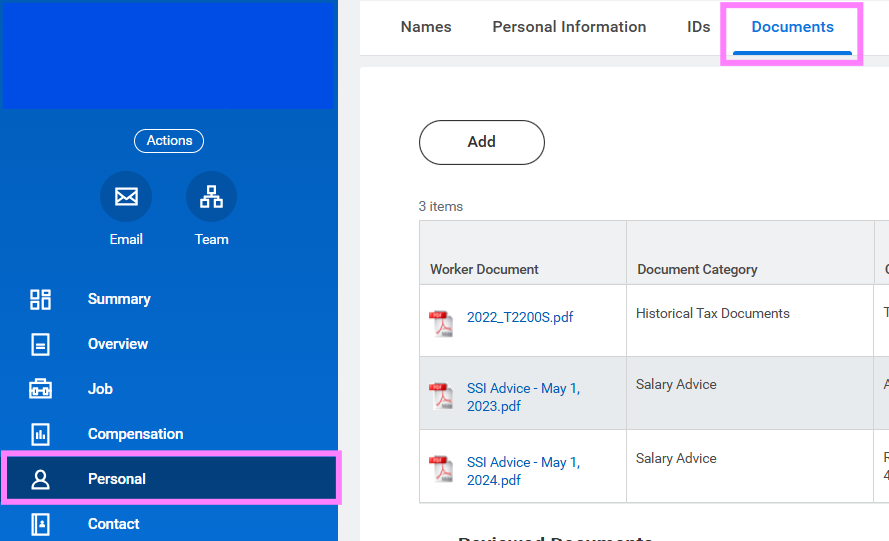
- Scroll to the bottom for the most recent documents to find the current salary increase advice.