To view time off for your own direct reports, follow the steps below:
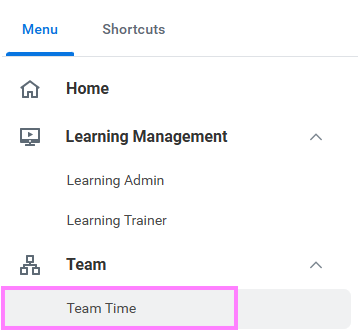
- On the Workday homepage, click View All Apps to go to Team Time under Team.
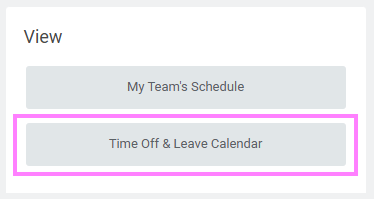
- Select Time Off & Leave Calendar in the View menu.
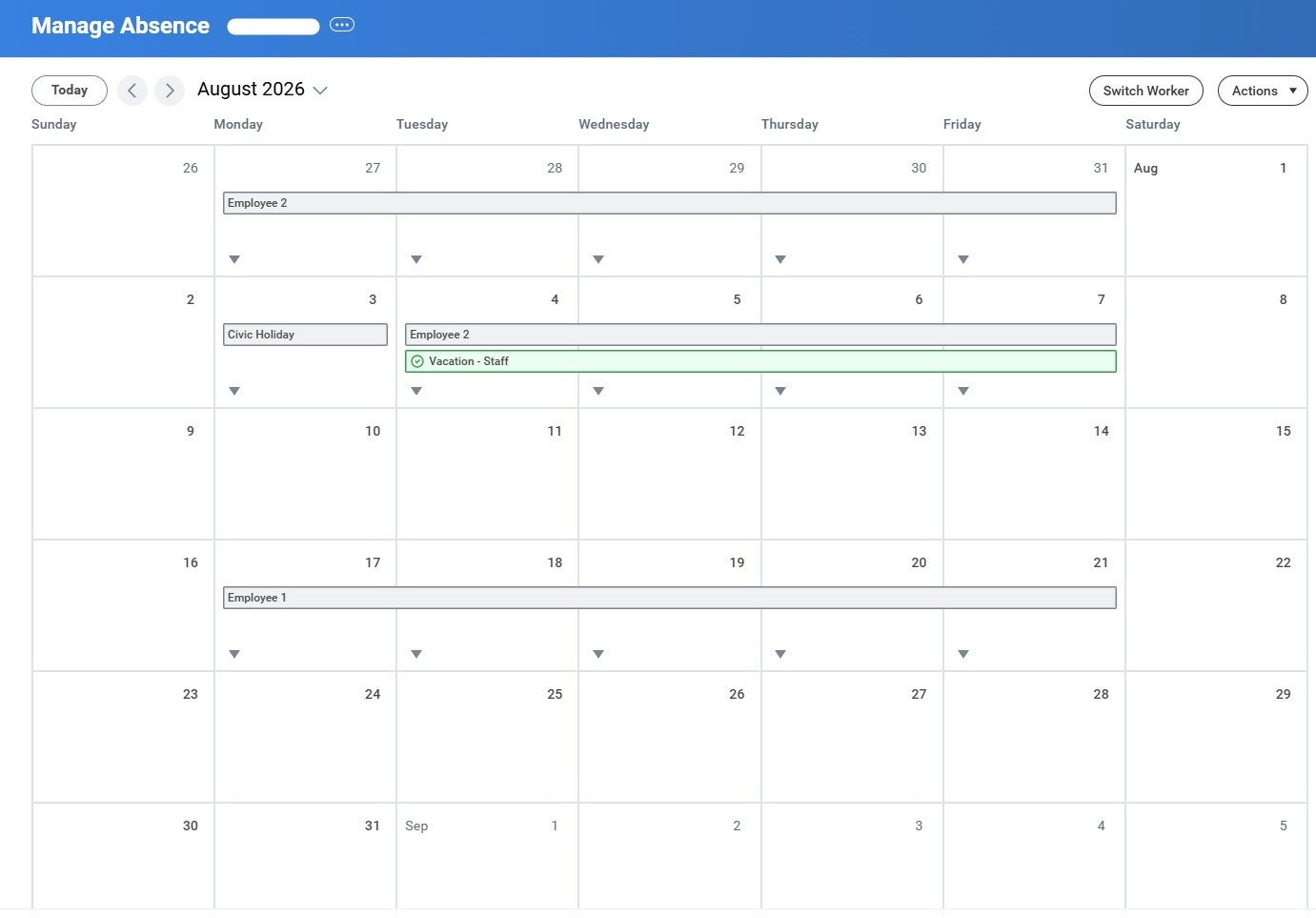
Note: Approved requests show with a green check mark and pending requests show in gray. You can approve pending requests from this screen by clicking on the request and then Review.
To view time off for your direct manager and the employees under your manager, i.e. your "team," follow the steps below:
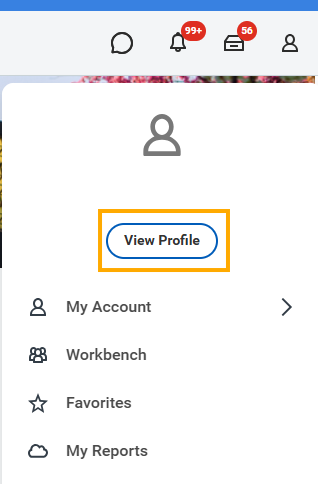
- From the Workday homepage, navigate to your profile icon at the top right of the screen and click on View Profile.
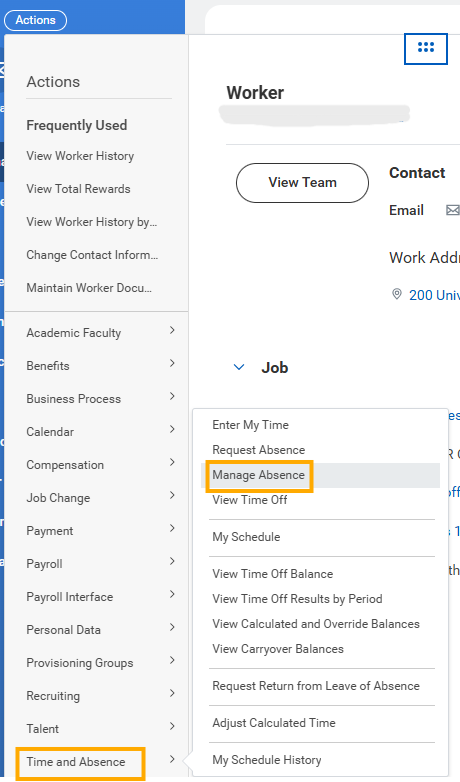
2. Click on Actions to go to Manage Absence within Time and Absence.