To submit a "Vacation Carryover Exemption" request:
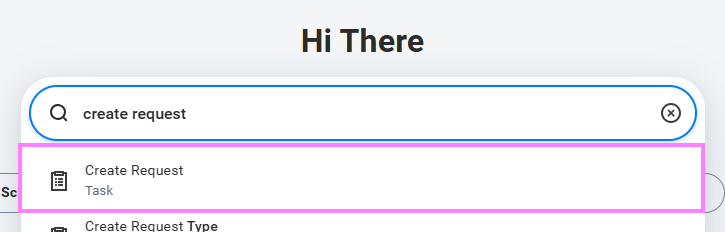
- On the Workday homepage, search Create Request in the global search bar and select the Create Request task.
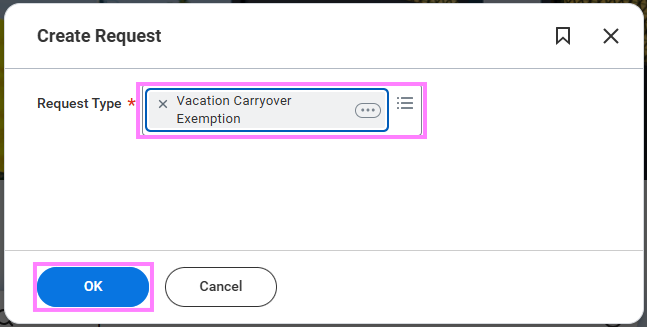
- Enter Vacation Carryover Exemption in the Request Type field and click OK.
You will then see the Vacation Carryover Exemption Request Page.
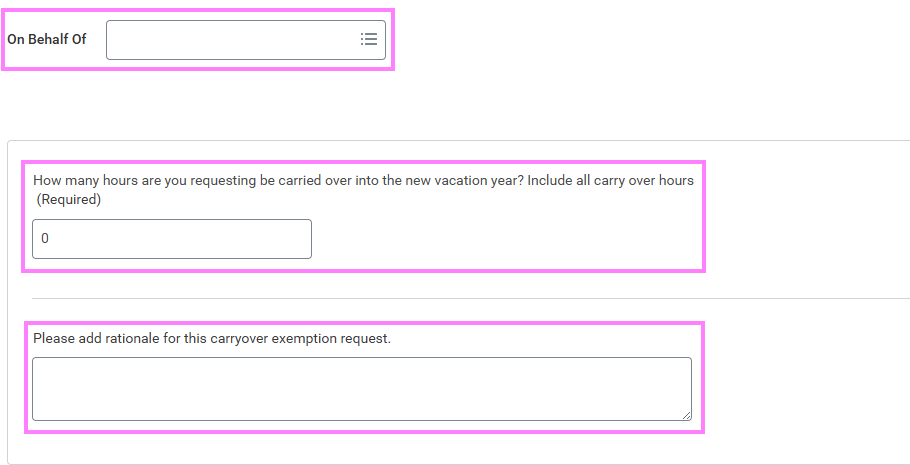
The "On Behalf Of” field identifies the employee whose vacation carryover is being requested. To ensure accuracy (especially for employees with duplicate names), please follow the below steps:
- Input the Workday employee ID
- Click Enter
- The correct employee will populate into the "On Behalf Of" field
- Enter the requested hours to be carried forward to July 1st, 2026 (include all hours being requested).
Note: To confirm the carryforward amount, please refer to the UW CR Staff Vacation Balance Report using an effective date of 06/30/2026.
- Complete the request and click Submit.
Note: This submitted request will be routed to the Department Head for approval. Only those approved will be reviewed and confirmed by the Vice-President, Academic & Provost.