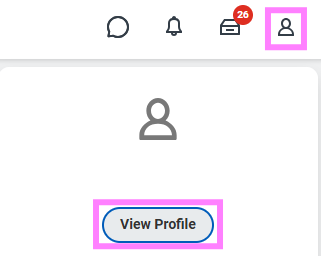
- Click on the profile icon and select View Profile.
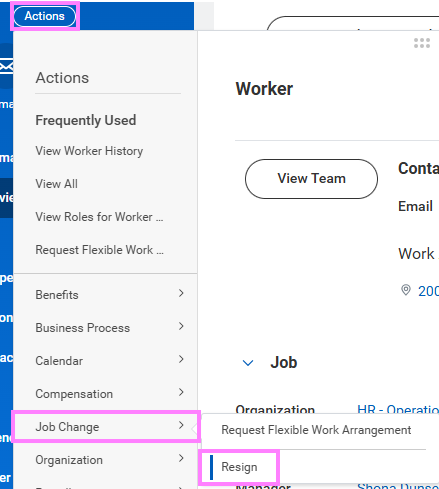
- Click the Actions button under your name and hover over Change Job to select Resign.
- In the Proposed Termination Date field, enter your last working day.
- Click in the Primary Reason field to select Voluntary and then the most appropriate reason for your resignation.
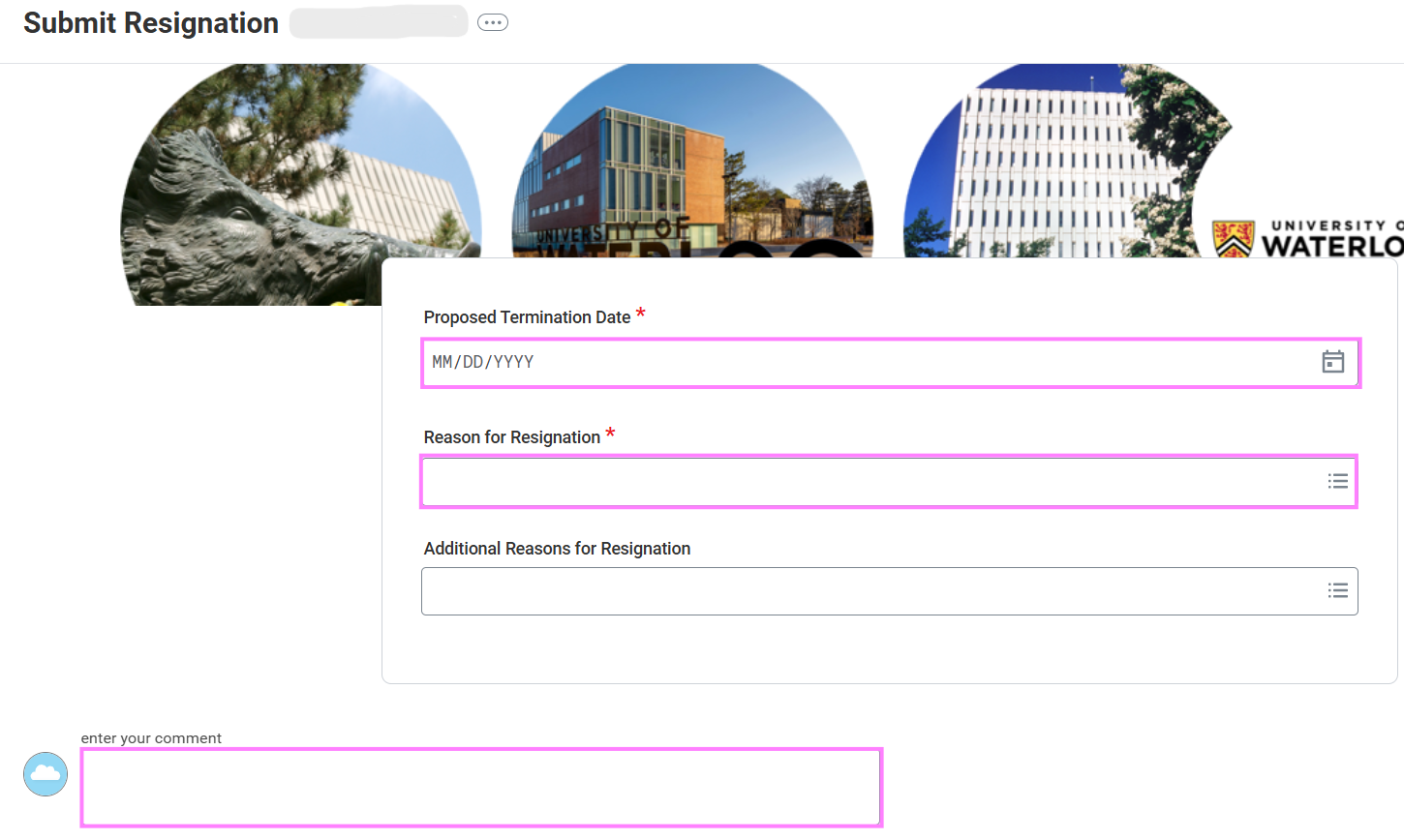
- Enter a comment or attach a resignation letter for your manager.
- Click Submit to send for manager review.