Follow the steps below to access your employee T4 and T4A tax documents from 2019 and beyond. Please make sure you have a PDF reader on your computer (e.g., Adobe reader), and set the security settings in your web browser to allow/trust all pop ups from this site (turn off your pop-up blocker). Tax documents prior to 2019 can be accessed by following the View historical pay slips and tax documents user guide.
Note: For the 2019 tax year and beyond, T4A forms for student scholarship, bursary, award and GRS income will be available in the finance section on Quest by February 28th each year.
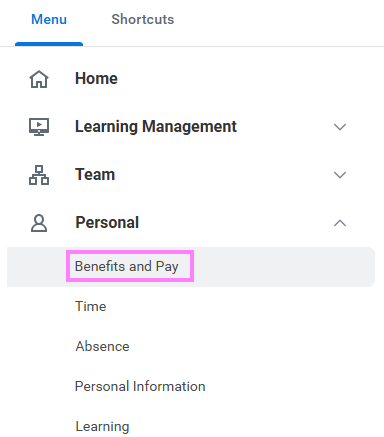
- On the Workday homepage, click View All Apps to go to Benefits and Pay under Personal.
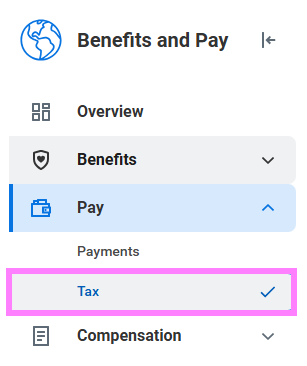
- Click on Tax under Pay.
- Your current tax form(s) will be listed under the table titled Canada.
- Click on the View/Print button next to the form(s) you wish to view or print.

-
A PDF file with your tax form will pop up. You can download or print from the PDF.
-
All previous tax form(s) will be listed under the drop down table titled Canada Prior Years