Employees may be permitted to work from home for a maximum of 4 days per week, based on an annual review. Full guidelines can be found on the Secretariat website.
The following will guide you through the Flexible Work Arrangement review process in Workday.
- From the Workday home page, click the inbox icon on the top right.

- Review the Request Flexible Work Arrangement for the employee including the Start andEnd Dates requested and Days per Week.
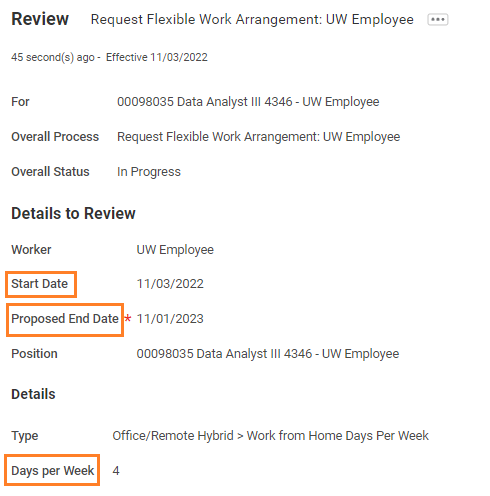
- Once the information has been reviewed, the request can be approved, sent back to the employee, or denied.

a. If the employee needs to revise the work from home arrangement details or questionnaire answers, click Send Back. Enter a reason and then click Submit to send back the request.
Once fully approved, Work from home arrangements can be viewed from the worker profile by clicking the Job option from the left-hand menu and then the Flexible Work Arrangement tab at the top.
To view all employees' Flexible Work Arrangements, type UW CR Work from home details into the Workday search bar to pull up a report.