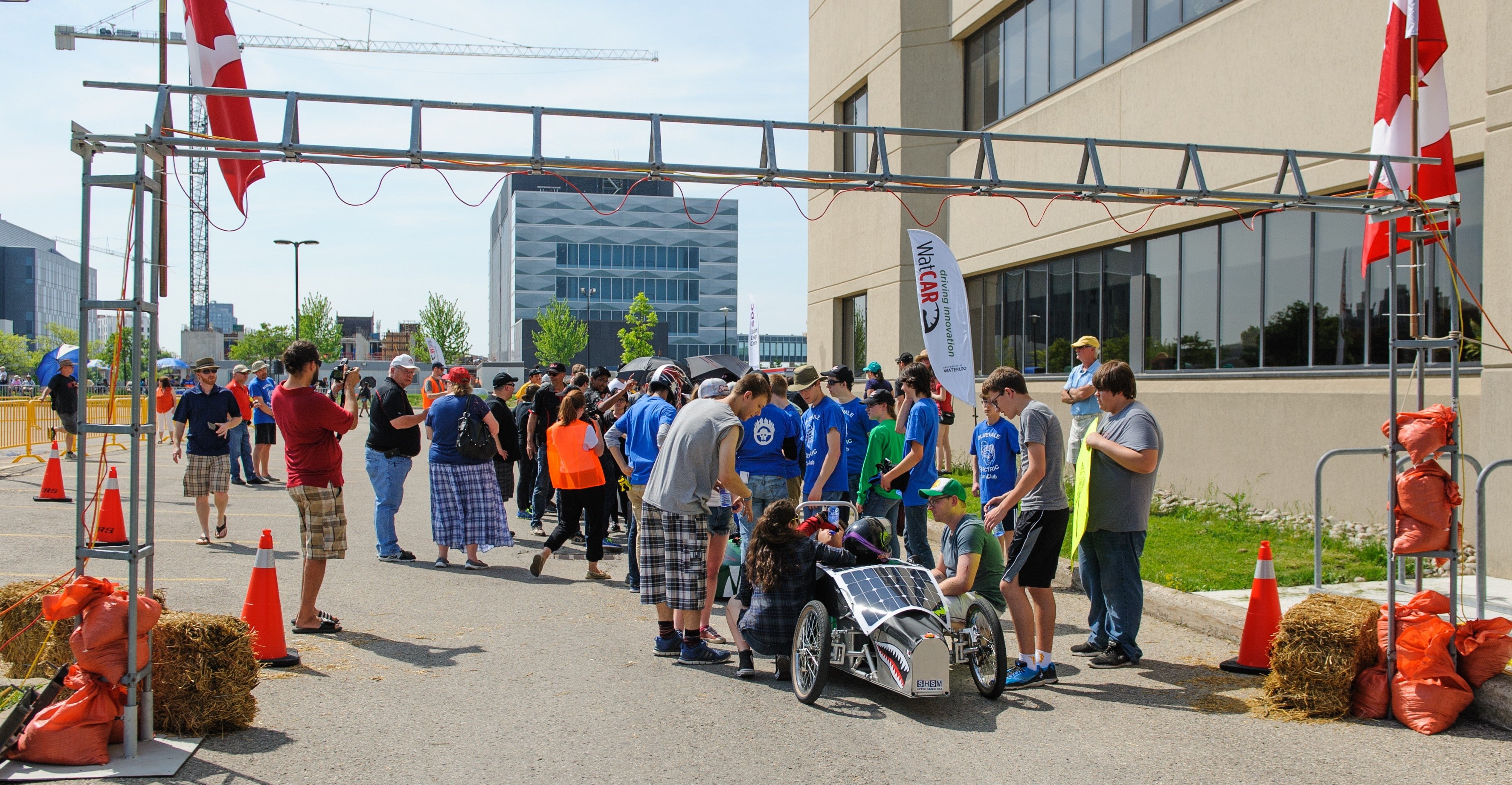
The Waterloo EV Challenge takes place each spring at the University of Waterloo. This is the premiere event for the Electric Vehicle Challenge. This page contains information relevant to all visitors -- both teams and the general public.
Competition rules
The race will be run according to the 2026 EV Challenge Rules
Parking and directions
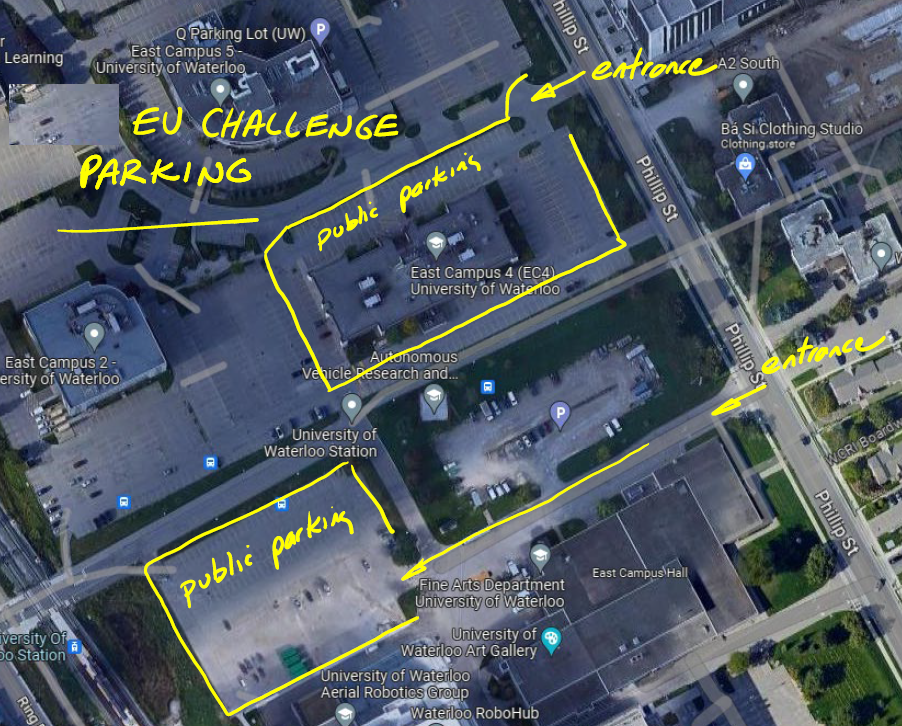
Free parking is available for the EV Challenge in the following locations shown below.
- Q parking lots surrounding EC4 - enter from Phillip Street and follow the signs
- B parking lot near E5 - enter from Phillip Street, lot is adjacent to transit plaza
Food nearby
- There is a Tim Hortons within walking distance at Columbia and Philip.
- The University Plaza (University and Philip) has many different food options available for lunch.
- There will not be any food for sale at the EV Challenge.
Schedule
| Time | Event |
|---|---|
| 7:30 am - 8:30 am |
Teams arrive, set up in pits |
| 8:30 am - 10:00 am |
Safety inspections, award judging Transponder setup and inspection |
| 9:45 am |
Drivers' meeting in pits - mandatory attendance by all drivers and teachers / mentors |
| 10:00 am |
Opening ceremonies, heat race #1 cars on track |
| 10:15 am - 11:30 am |
Heat Race #1 (70 minute duration) |
| 11:45 am - 1:00 pm |
Heat Race #2 (70 minute duration) |
| 1:00 pm - 2:00 pm |
Lunch break and prep for feature race |
| 2:00 pm - 3:15 pm |
Feature Race (70 minute duration) |
| 3:30 pm | Awards ceremonies |
Registration
Registration for the Waterloo EV Challenge be completed using an Online Registration form on the EV Challenge website here.
For details of the registration process, including the information required, refer to the Competition Rules.
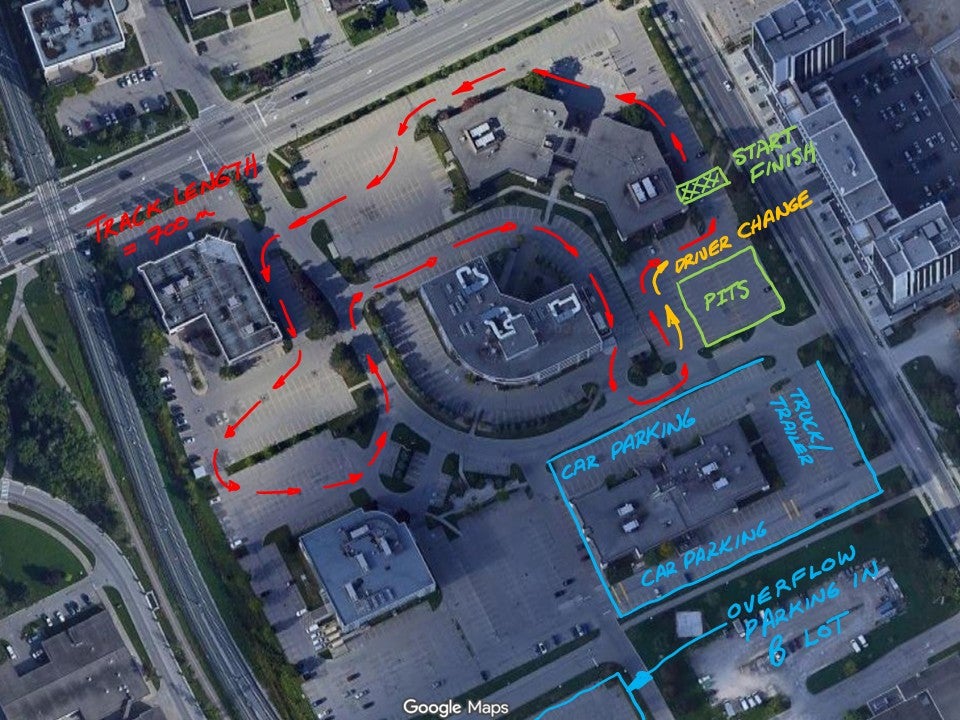
Course layout

Electronic scoring
The EV Challenge uses the Next Level Timing online system for race scoring. This free platform gives teams access to online race information as well as finishing order and lap times after the race. All teams are required to register on the Next Level Timing website in order to race.
- Go to nextleveltiming.com, select Login and follow the instructions to register in the system. You will register using your name and email address - your school / team name is entered later
- Once you've registered you'll be asked to set up your Profile. Click on Find a community and select Waterloo EV Challenge. When the Waterloo EV Challenge community page opens, click on Join this community
- Go to the main menu (3 horizontal bars at the top right corner) and select Profile
- When the Profile page opens, select Profile Settings at the top of the page
- Change Display Name to the name of your school or team. This is the name that will show up in the system during the race. You will also need to add a user name, could be your name, your school, name, etc.
- You can verify everything has been done correctly by going to Communities / Waterloo EV Challenge / Members to confirm that your school name shows up on the members list
Scoring system transponder installation
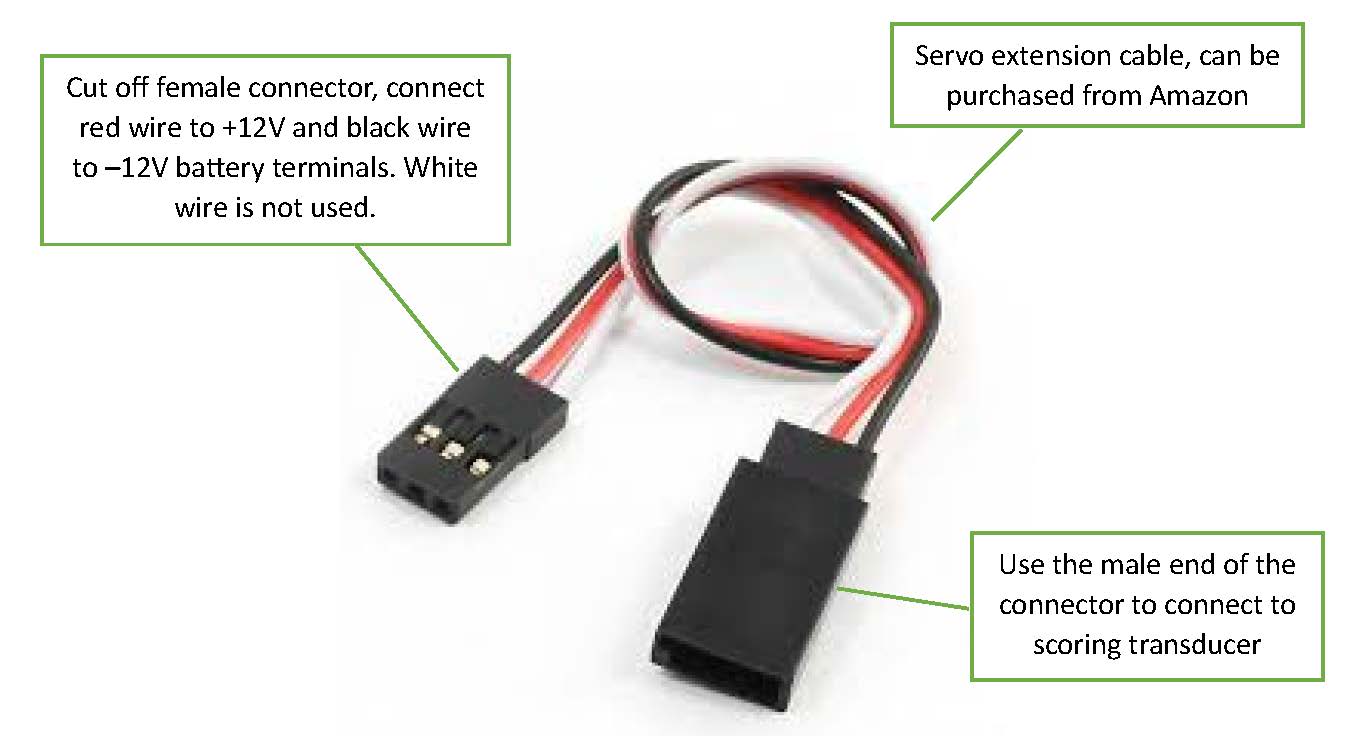
The EV Challenge uses an electronic scoring system where vehicle‑mounted transponders are detected by receivers above the start/finish line, with results automatically sent to the scoring computer and updated in real time on the NextLevelTiming system.
All vehicles must be prepared for transponder mounting as follows:
- Provide a flat, level mounting surface (≈ 3 cm × 3 cm) at the front of the vehicle that has a clear, unobstructed line of sight to the scoring system receivers. A Velcro adhesive strip will be provided by the race organizers to secure the transponder.
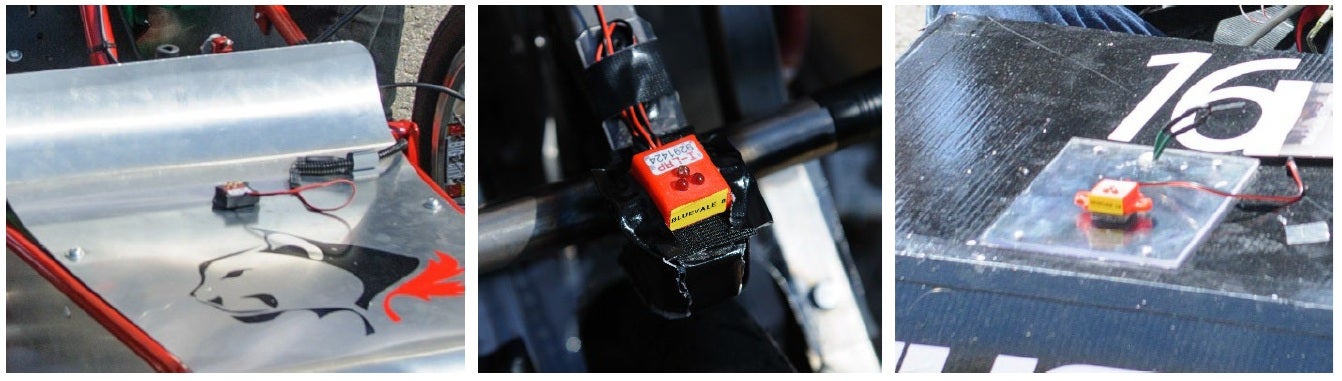
- The transponder is powered by the car's 12 V race battery only – no other power source may be used.
- The electrical connector for the transponder must be installed before the race. Use of a modified servo extension cable is recommended. Secure all wiring and provide ~5 cm of slack at the connector.