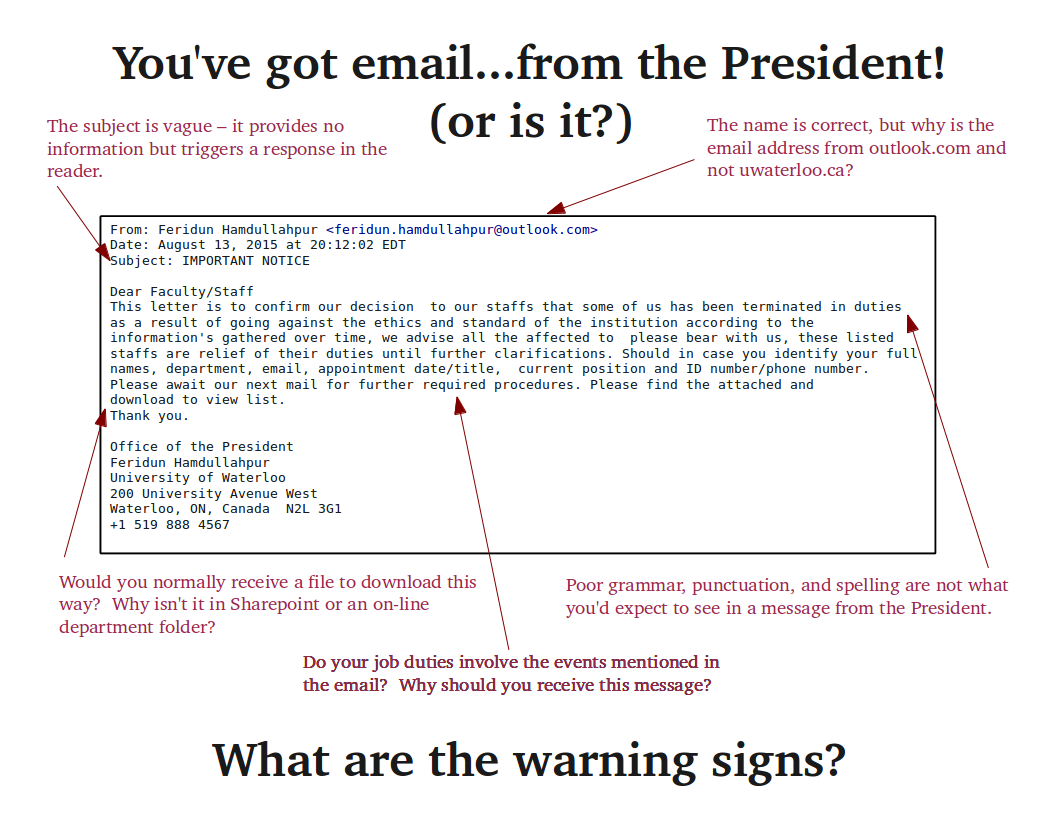
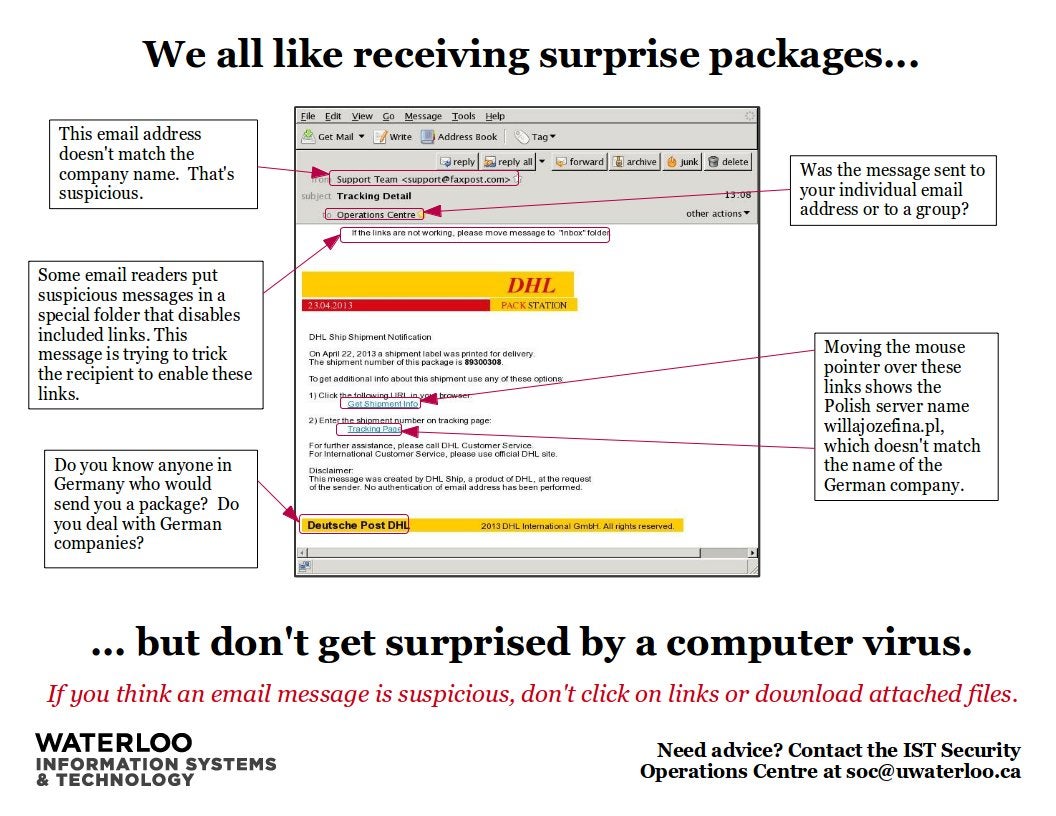
- Learn to identify suspicious emails
- Defend against phishing at Waterloo
- Use two-factor authentication and device encryption
Identify & Report suspicious email
When you receive email messages, always consider whether they are legitimate. Even if they seem plausible, if you have any questions, take a close look and consider whether you detect any warning signs. If anything looks suspicious, do not open attachments or reply to the message. Contact the purported sender directly using their official email address or other means and verify the legitimacy of the message.
Suspicious email should also be forwarded as an attachment to the Security Operations Centre (SOC).