Students can review their accommodation plan at any time through the AccessAbility Services (AAS) Online System. Each accommodation includes a description that explains what the accommodation is, how to access it and your responsibilities in participating and engaging in the accommodation facilitation process.
Log into the AccessAbility Services Online System
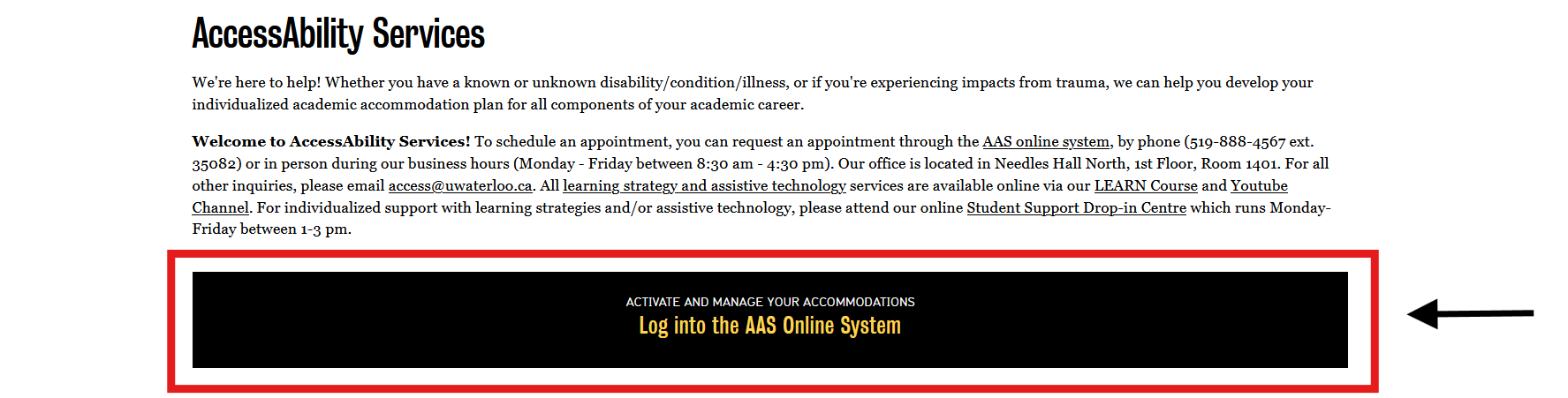
1. Navigate to the AccessAbility Services webpage.
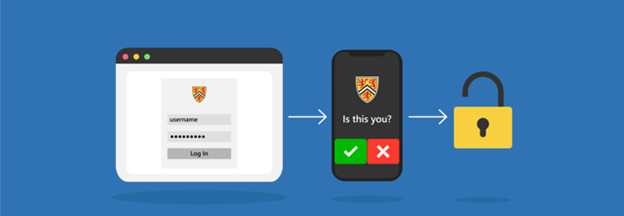
2. Click on the button, “ACTIVATE AND MANAGE YOUR ACCOMMODATIONS: Log into the AAS Online System” and enter your WatIAM username and password. Note: You may be prompted to provide two-factor authentication (2FA) to securely access your account.
Review Your Accommodation Plan
1. Navigate to the left menu bar under MY DASHBOARD and select the “My Eligibility” button.
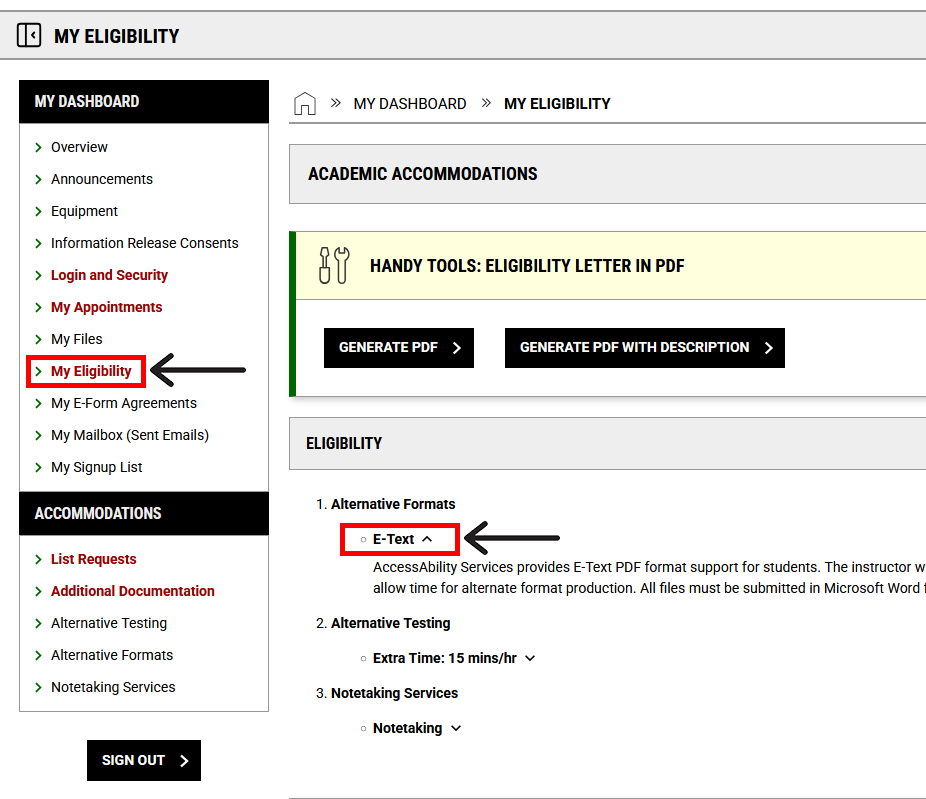
2. Review your accommodations and their descriptions
For more information about your responsibilities as a student receiving accommodations, review the Student Academic Accommodation Guidelines.
Next Steps
If you have any questions or concerns about requesting your term accommodations, please contact AccessAbility Services by phone: 519-888-4567 ext. 35082, email: access@uwaterloo.ca, or in-person: Needles Hall North, First Floor, Room 1401.