You may be asked, or choose to submit additional documentation to AccessAbility Services (AAS) if your accommodation needs change or if additional information is needed to better support you.
Additional documentation helps ensure that your accommodation plan continues to reflect your current functional needs in an academic setting.
Common Reasons for Submitting Additional Documentation:
- Your functional limitations have changed
- You are requesting new accommodations
- Your disability is identified as temporary and your accommodation plan has expired
- You have received a new diagnosis or assessment
- More detail is needed to clarify your functional limitations in an academic setting
There are two secure methods available to submit documentation.
Option 1: Upload Through the AAS Online Stystem
Log into the AccessAbility Services Online System
1. Navigate to the AccessAbility Services webpage
2. Click on the button, “ACTIVATE AND MANAGE YOUR ACCOMMODATIONS: Log into the AAS Online System” and enter your WatIAM username and password. Note that you may be prompted to provide two-factor authentication (2FA) to securely access your account.

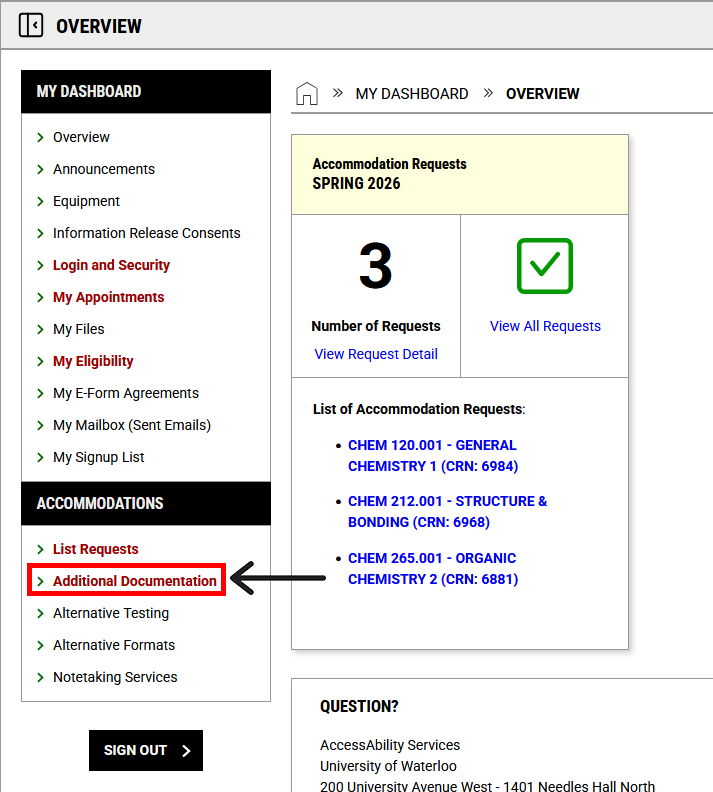
3. Navigate to the left menu bar. Under the heading ACCOMMODATIONS,select “Additional Documentation”.
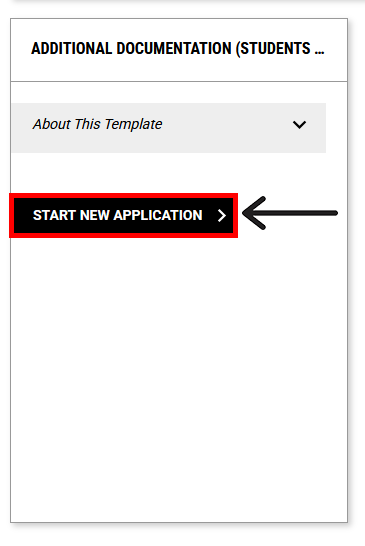
4. Select the “START NEW APPLICATION” button.
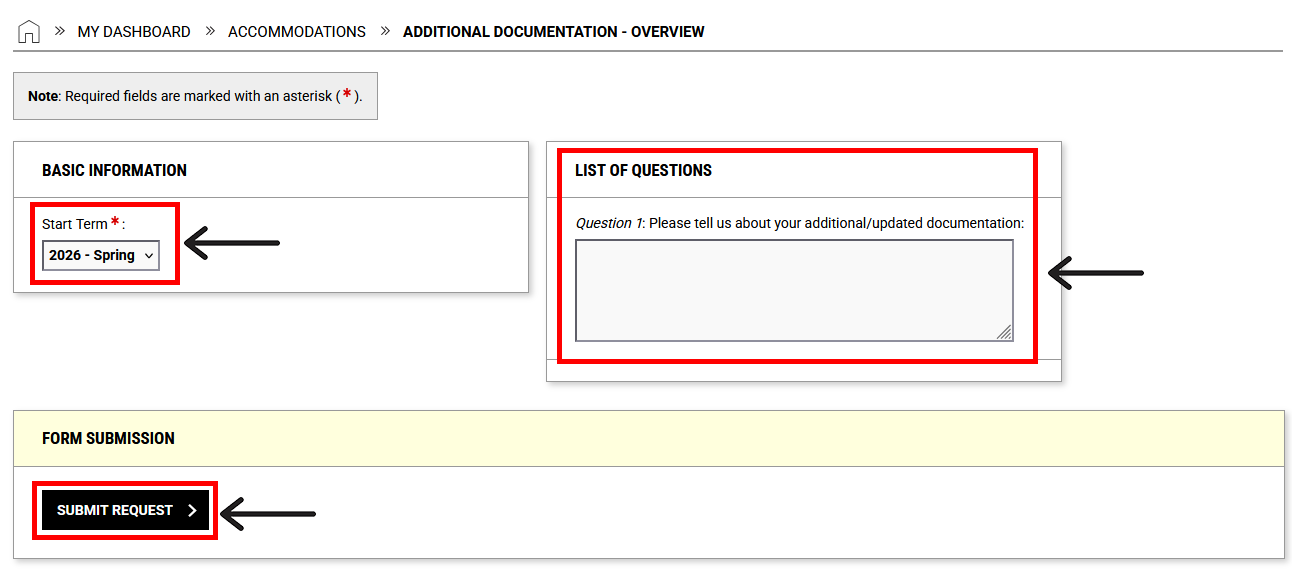
5. In the Start Term dropdown menu, select the term for which you are requesting accommodation changes:
- Select the current term if you are requesting for the changes to take effect right away. Note: Documentation review timelines are available on the Documentation Information & Forms webpage.
- Select a future term if you are not currently enrolled but will need accommodations in an upcoming term.
Selecting the correct start term helps us prioritize your documentation for review.
6. Enter any relevant details in the text box provided.
7. Select “SUBMIT REQUEST” and then “CONFIRM” to proceed.
8. On the next page, scroll to the FILE INFORMATION section and select “CHOOSE FILE”.
9. Upload your documentation and provide a clear file title (e.g., Medical Disability Verification Form).
10. Select “UPLOAD FILE” to complete your submission.
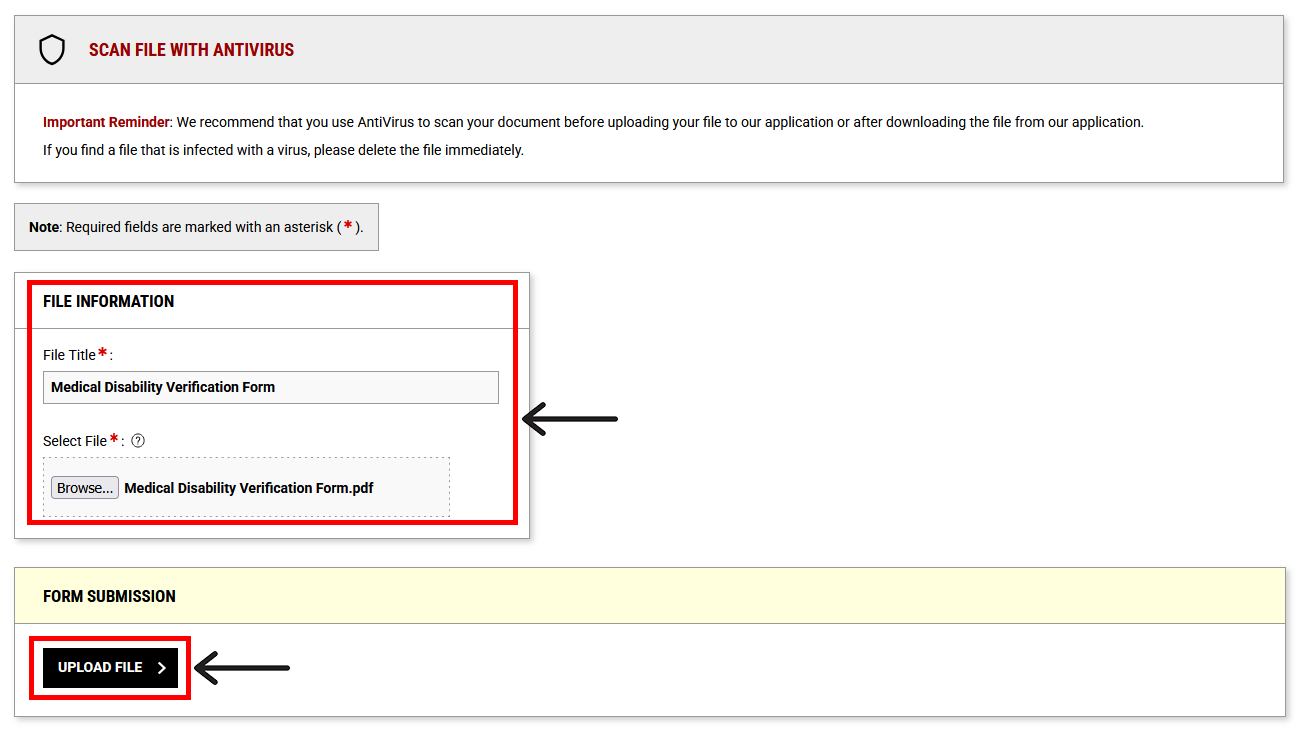
11. Once your file has been successfully uploaded, a confirmation checkmark will appear at the top of the page, and you will receive an email confirmation.
Option 2: Submit Documentation by Fax
You may also choose to have your documentation faxed directly to Accessibility Services.
- Fax number: 519-746-2401
Next Steps
After your documentation has been reviewed, AccessAbility Services will contact you via email with information about any updates to your accommodation plan and next steps.
If you have any questions or concerns about the above steps, please contact AccessAbility Services by phone: 519-888-4567 ext. 35082, email: access@uwaterloo.ca, or in-person: Needles Hall North, First Floor, Room 1401.