Thank you for your interest in the Peer Supplemental Notetaking Program. To volunteer as a notetaker with AccessAbility Services (AAS), please complete our Volunteer Notetaker Application.
Log into the AccessAbility Services Online System
1. Navigate to the AccessAbility Services webpage.
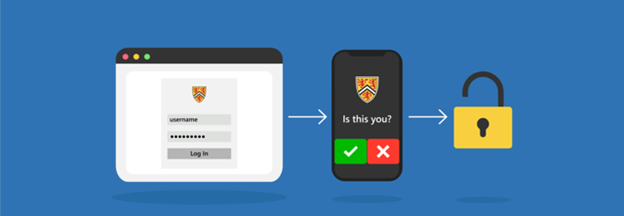
2. Click on the button, “ACTIVATE AND MANAGE YOUR ACCOMMODATIONS: Log into the AAS Online System” and enter your WatIAM username and password. Note: You may be prompted to provide two-factor authentication (2FA) to securely access your account.

Sign Up as a Notetaker
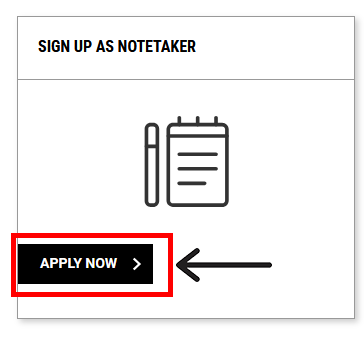
1. Navigate to the SIGN UP AS NOTETAKER box and select the “APPLY NOW” button.
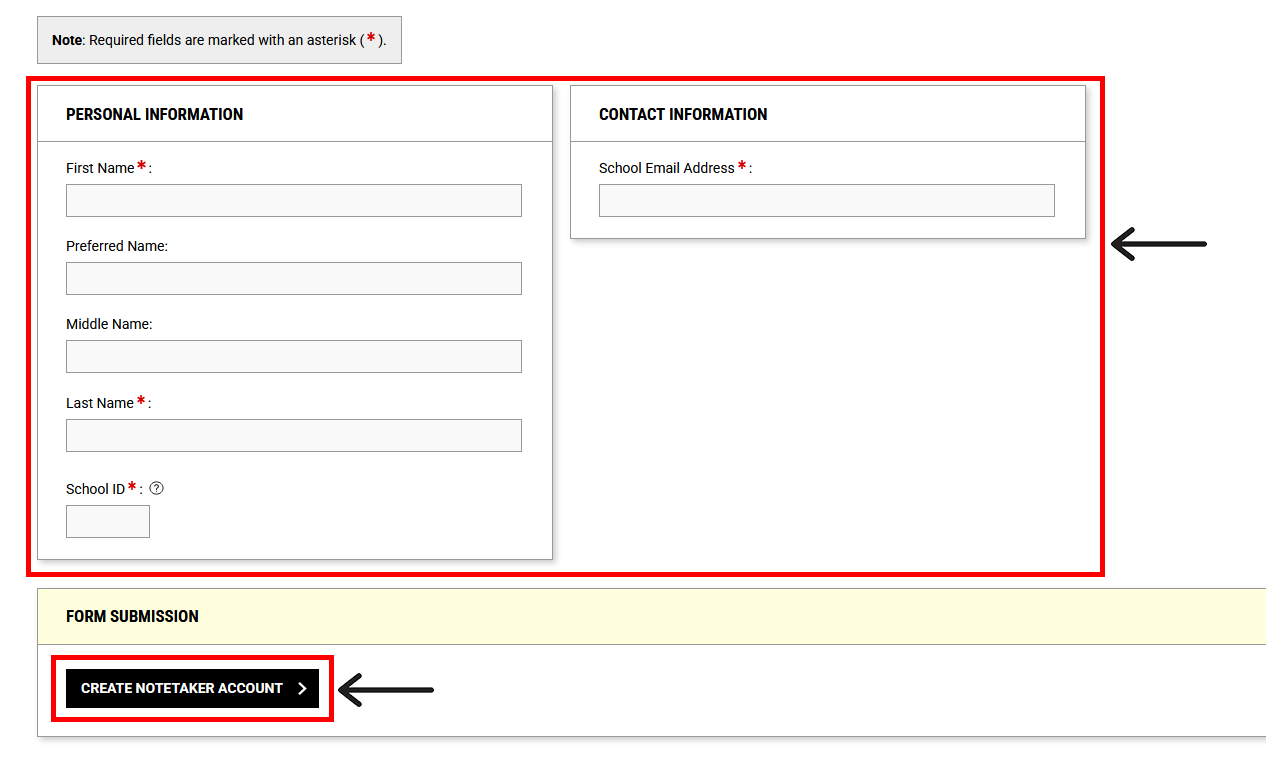
2. Review the NOTETAKER APPLICATION page and fill in the required fields in the PERSONAL INFORMATION and CONTACT INFORMATION sections.
3. Navigate to the bottom of the screen to the FORM SUBMISSION section and select the “CREATE NOTETAKER ACCOUNT” button.
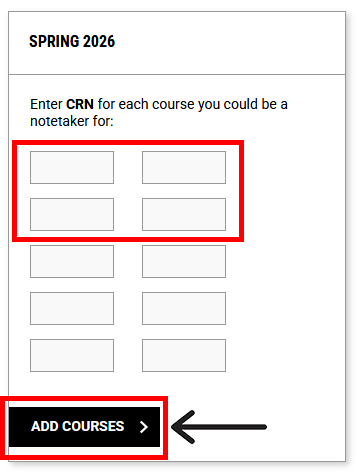
4. Next, enter the Course Registration Number (CRN) for each course you would like to volunteer as a notetaker for and select the “ADD COURSES” button.
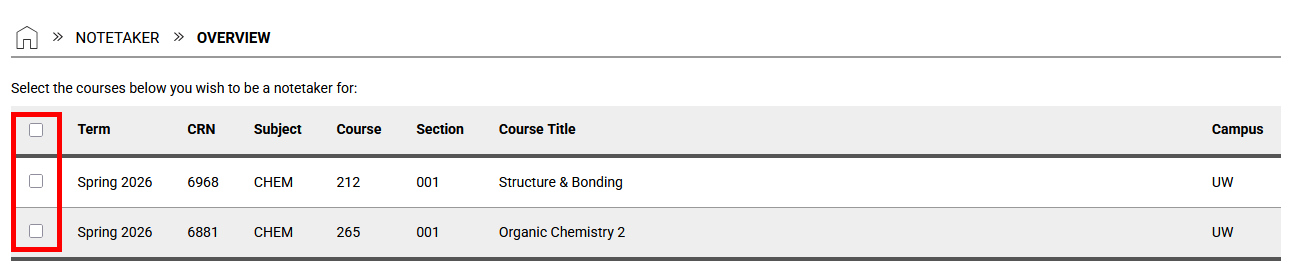
5. Then, select the checkbox beside each course you would like to volunteer as a notetaker for this term or select the checkbox beside “Term” if you wish to volunteer as a notetaker for all of your courses this term.
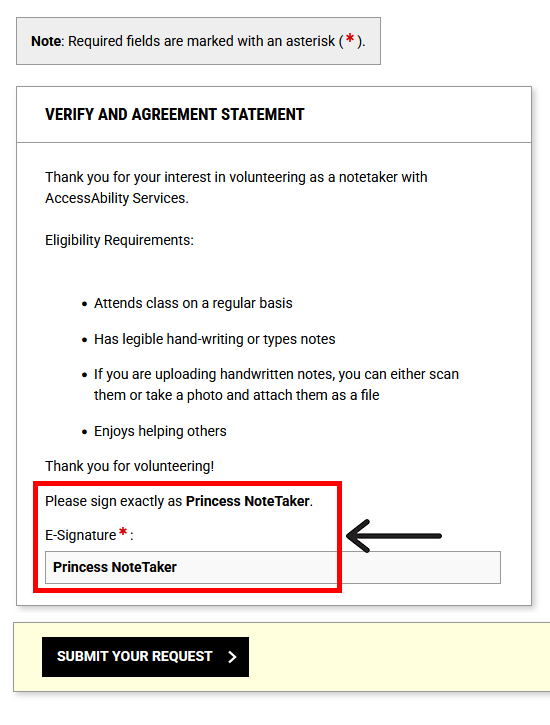
6. Review the Notetaker Agreement in the VERIFY AND AGREEMENT STATEMENT section. To sign the agreement, enter your e-signature by signing exactly as the system indicates above the e-signature box.
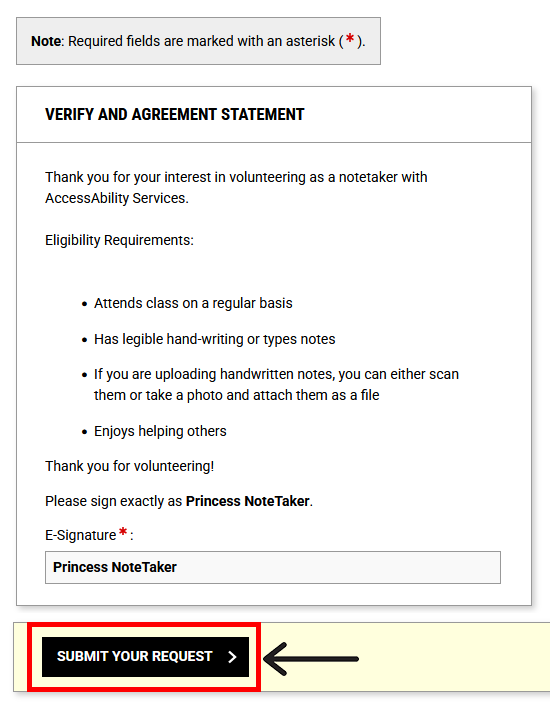
7. Select the “SUBMIT YOUR REQUEST” button to finish signing up as a volunteer notetaker.
Upload Your Volunteer Notes
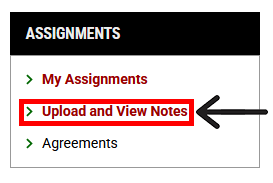
1. After logging into the AccessAbility Services Online System using your WatIAM username and password, navigate to the left menu bar under the heading ASSIGNMENTS and select “Upload and View Notes”.
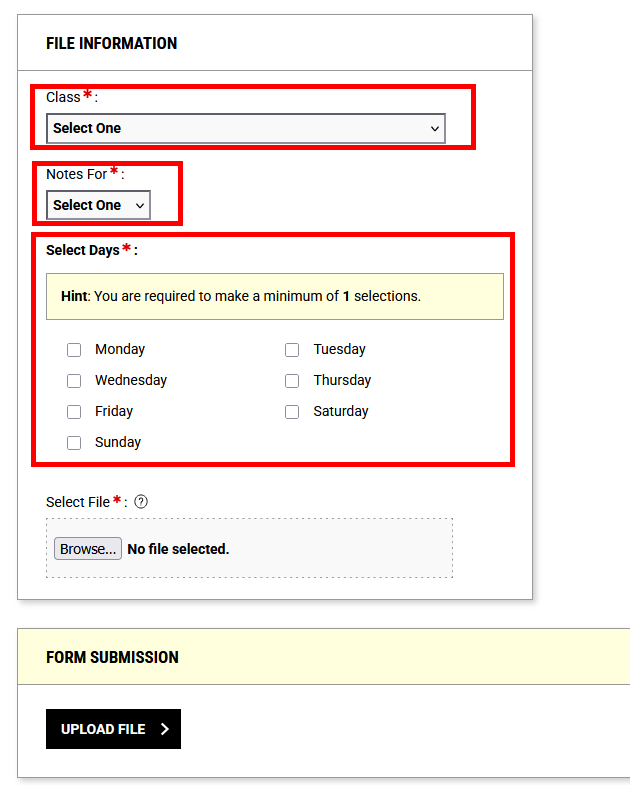
2. In the FILE INFORMATION section, use the “Class” drop-down menu to select the class your notes are for. Then use the “Notes For” drop-down menu to select the week of the term the notes are for.
3. Select the checkbox beside the day(s) of the week on which the lecture occurred that these notes relate to.
Example: If you wish to upload notes you took for PSYCH 101 for the Monday lecture during Week 2, you would select “PSYCH 101” from the “Class” drop-down menu, “Week 2” from the “Notes For” drop-down menu, and select the “Monday” checkbox.
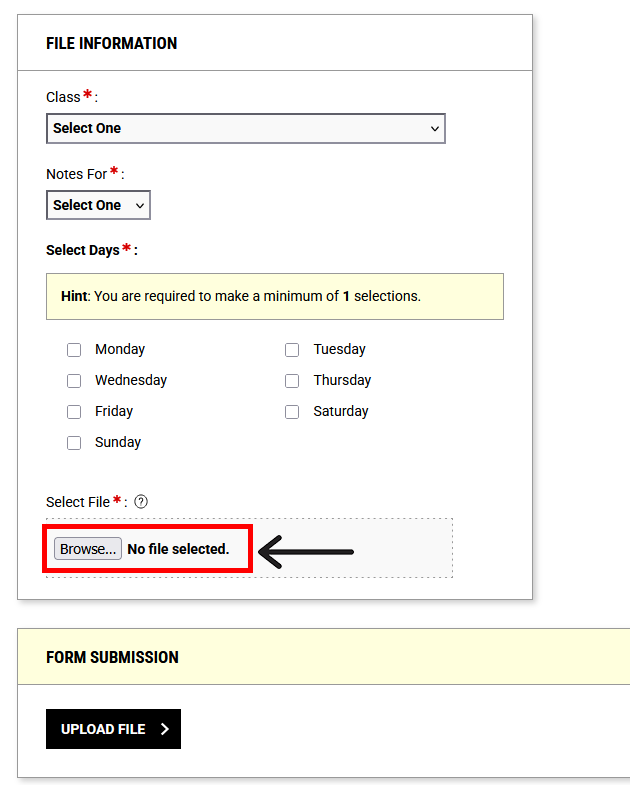
4. Upload your notes by selecting the “Browse” button and selecting the file you wish to upload. Please ensure your notes are in one of the following formats: PDF or Microsoft Word document. Tip: If you are typing into a PowerPoint file, please save it as a PDF. If you are uploading handwritten notes, please save your scanned document as a PDF.
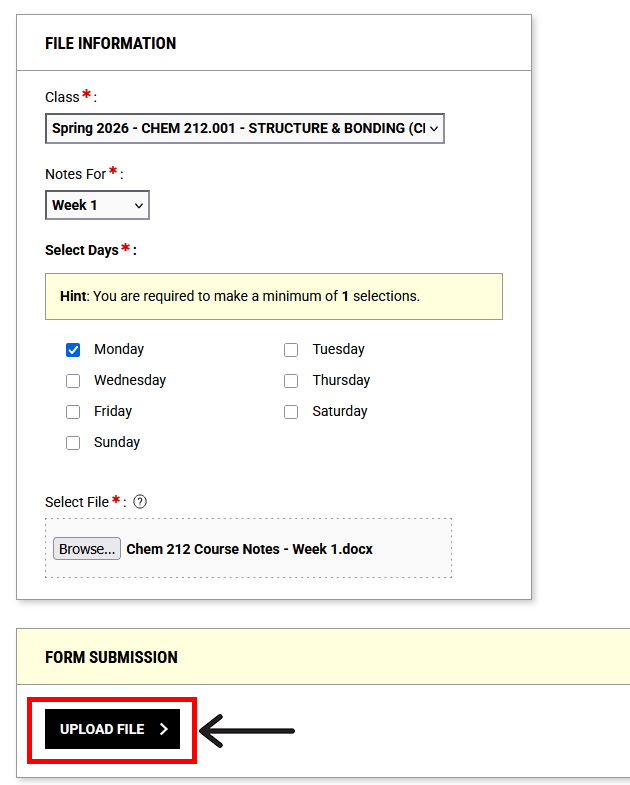
5. Finish uploading your note by selecting the “UPLOAD FILE” button.
Thank you for volunteering as a notetaker for the Peer Supplemental Notetaking Program!
Next Steps
For more information regarding the program, please visit the Peer Supplemental Notetaking Support webpage. If you have any questions or concerns, please contact notetaking@uwaterloo.ca.
Alternatively, you may contact us by phone: 519-888-4567 ext. 35082 or in-person: Needles Hall North, First Floor, Room 1401.