Students requesting course notes through the Peer Supplemental Notetaking Program must activate notetaking services and confirm their need for course notes for each course they are requesting course notes for.
Note: As this service requires support from volunteers, AccessAbility Services (AAS) cannot guarantee a match, or the quality of the notes. Receiving notes through AAS’ Peer Supplemental Notetaking Program is not intended as a substitute for classroom attendance and learning. For additional information regarding the Peer Supplemental Notetaking Program, please visit our Peer Supplemental Notetaking Support webpage.
Log into the AccessAbility Services Online System
1. Navigate to the AccessAbility Services webpage.
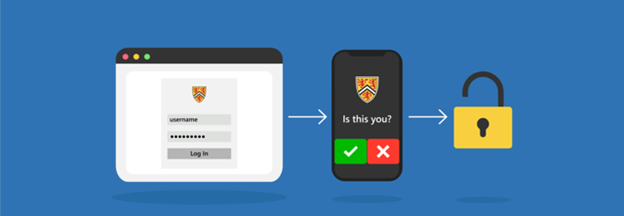
2. Click on the button, “ACTIVATE AND MANAGE YOUR ACCOMMODATIONS: Log into the AAS Online System” and enter your WatIAM username and password. Note: You may be prompted to provide two-factor authentication (2FA) to securely access your account.

Activate Notetaking Services
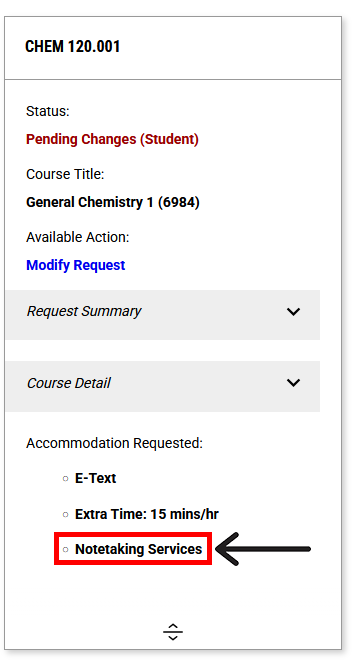
1. Once logged in, ensure that you have activated Notetaking Services for all course(s) where you are requesting peer supplemental course notes.
2. You can review your list of approved accommodations for each course by navigating to the left menu bar under the heading ACCOMMODATIONS and selecting “List Requests”. Then, select “View All Requests” for the current term. Ensure that Notetaking Services is listed under “Accommodation Requested”.
To review the process for activating or modifying your term accommodations, please visit the Activating Your Term Accommodations webpage.
Confirm Need for Course Notes
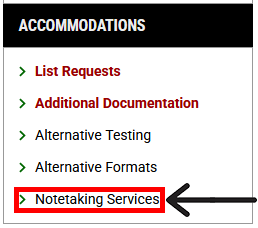
1. After you have activated your notetaking services accommodation, navigate to the left menu bar under the heading ACCOMMODATIONS and select “Notetaking Services”.
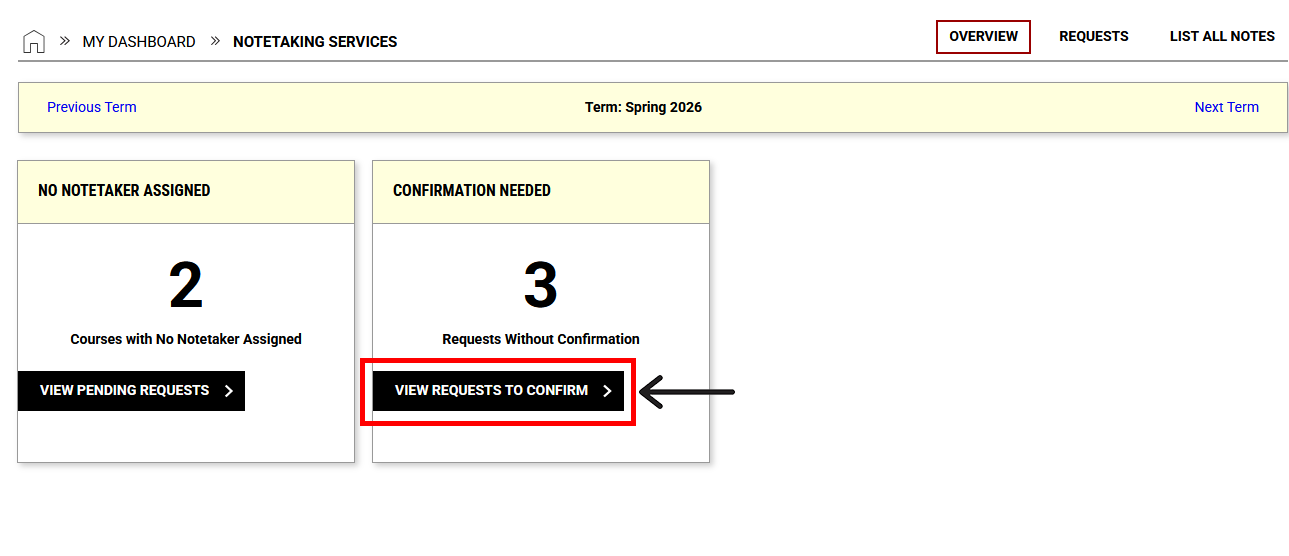
2. Navigate to the CONFIRMATION NEEDED box and select the “View Requests to Confirm” button.
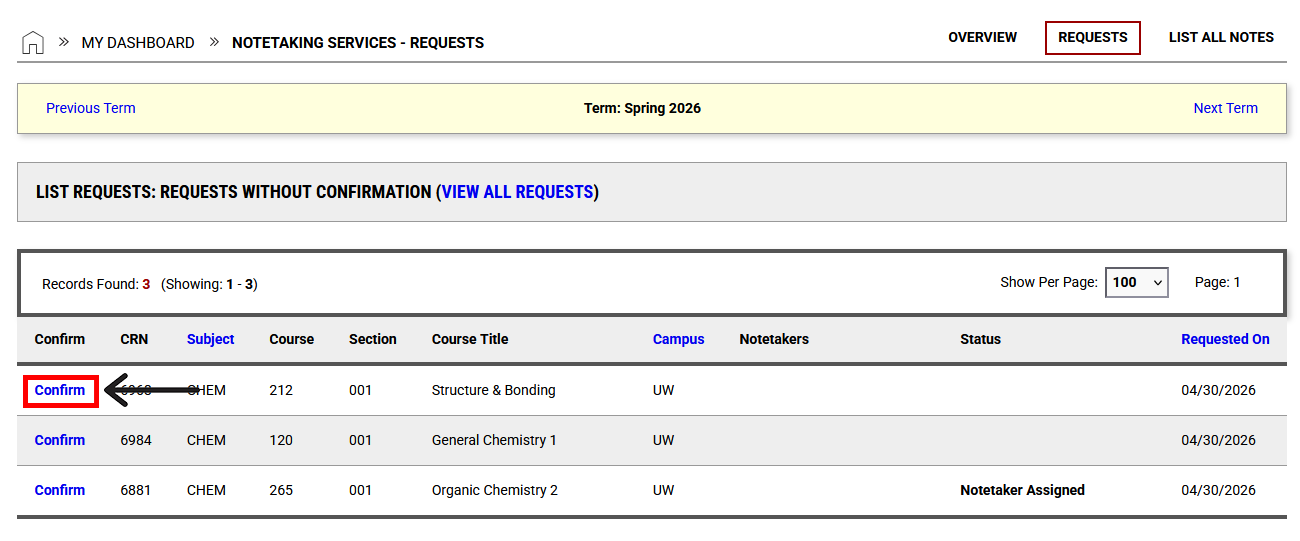
3. Select the “Confirm” button beside each course you are requesting volunteer notes for. This will send a request from our office to recruit a volunteer notetaker.
Download Course Notes
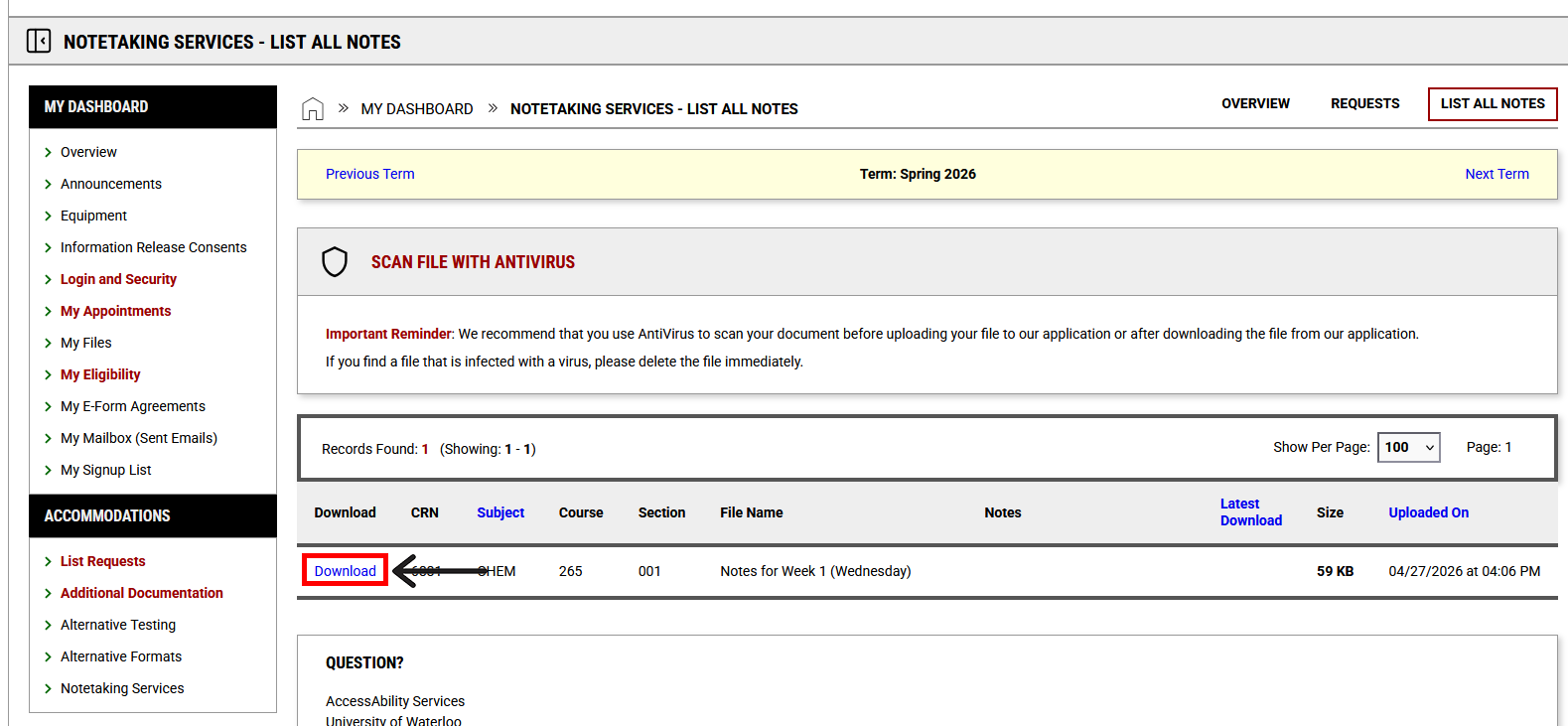
You will receive an email if a volunteer notetaker has been secured for your course and volunteer notes have been uploaded. To access the volunteer notes, follow the steps listed below:
1. Navigate to the left menu bar under the heading ACCOMMODATIONS and select “Notetaking Services”.
2. In the top right corner of the page, select LIST ALL NOTES.
3. Select “Confirm and download” in one action (when confirmation is required).
Next Steps
If you have any questions or concerns regarding notetaking services, please contact notetaking@uwaterloo.ca.
Alternatively, you may contact us by phone: 519-888-4567 ext. 35082 or in-person: Needles Hall North, First Floor, Room 1401.