For undergraduate students only.
Not all undergraduate students are eligible to apply to graduate in Quest. Before you begin, confirm your eligibility by visiting the graduation and convocation web page.
- Sign in to Quest.
- Select the Academics tile.

- Select the Graduation link on the left.

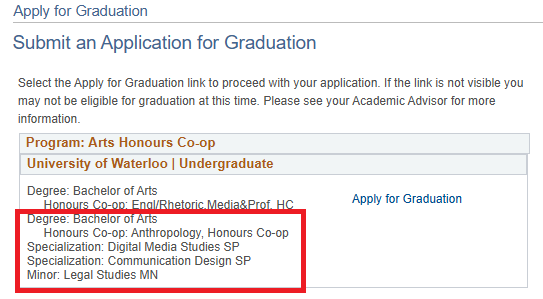
- In the Program section, verify the accuracy of the degree and academic plan(s). If you need to add, remove, or change any of your academic plan(s), use the Application to Graduate web form.
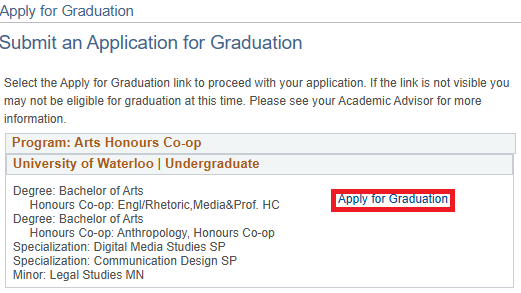
- Select the Apply for Graduation link.
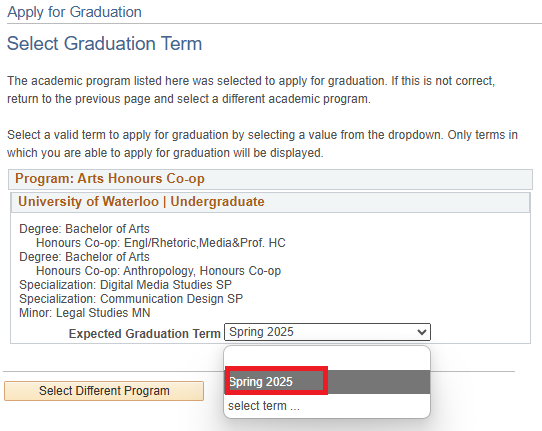
- Select the Expected Graduation Term from the pull-down menu. Note: Your expected graduation term should be the term in which you will finish your degree requirements.
- Review the displayed graduation instructions, then select the Continue button at the bottom of the screen.

- On the Verify Graduation Data page, verify the accuracy of the Degree and Expected Graduation Term information.
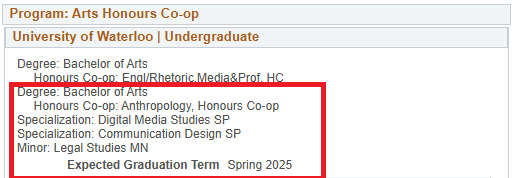
- If correct, select the Submit Application button at the bottom of the screen.

- If correct, select the Submit Application button at the bottom of the screen.
- A confirmation message will be displayed.

- Reselect the Graduation link on the left to reload the page.
- In the Program section, select the View Graduation Status link.
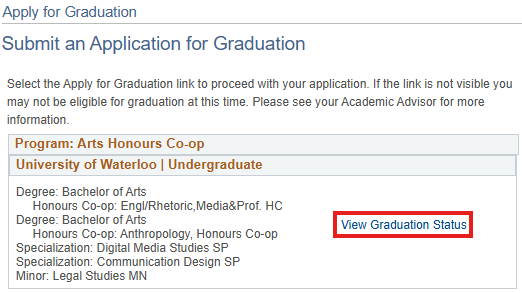
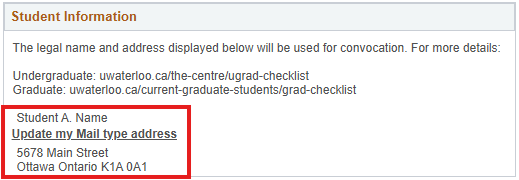
- Under the Student Information section, review your legal name and mailing address. If your legal name and/or mailing address are incorrect, update your personal information.