What are work programs?
Work programs at the University of Waterloo offer full and part-time jobs for full-time undergraduate and graduate students, both domestic and international, in co-op and non-co-op programs.
Work placement program
The Work Placement program offers full-time, on-campus jobs for students who meet all eligibility requirements.
Eligibility requirements
To be eligible for a work placement position, you must:
- be enrolled in full-time studies the academic term immediately prior to the work term;
- have received OSAP or other provincial student aid funding in one or both of the past two academic terms immediately prior to the work term;
- be returning to full-time degree studies at the University of Waterloo in the term immediately following the work placement;
This program is open to undergraduate (co-op and regular) and graduate students. Students may not be enrolled in full-time academic studies while employed under this program.
Graduate students should contact their supervisor or program director before applying to confirm that the work placement term will comply with their program requirements.
Apply for a work placement job
Step 1: Ensure you meet all eligibility requirements
Step 2: Apply for a work placement job
- Visit Co-operative Education's (CE) website to apply through WaterlooWorks
Step 3: Wait to be contacted for an interview and follow up with CE as required
How much can you earn?
Work placement jobs pay $3,000 per month over four months plus 4% vacation pay. Employers may choose to pay below or above this amount depending on the students' experience and the nature of the position.
Need help? Contact us
Work Placement program:
Co-op student issues:
- Carol Ann Olheiser
Regional Manager, University Employer
Co-operative Education, ext. 32482
Visit the Registrar Resources website for Work Placement information and forms.
Work-study program
The Work-Study Program offers part-time, on-campus jobs for full-time domestic and international students who demonstrate financial need. Students can work up to 10 hours per week and earn up to $2,000 per term, including vacation pay and benefits.
Dates and deadlines
| Term | Apply to Work-Study Program Positions from |
|---|---|
| Spring 2025 | April 14, 2025 to June 2, 2025 |
| Fall 2025 | August 13, 2025 to October 1, 2025 |
| Winter 2026 | December 8, 2025 to February 2, 2026 |
Eligibility requirements
To be eligible for a work-study job, you must fulfil one of the three eligibility requirement options:
Option 1: Students approved for OSAP
I have been approved for OSAP for the current work-study term, and the following criteria apply:
- I am fees arranged, and
- I am enrolled in a full-time course load, consisting of:
- 1.5 units or more, or
- 1.0 unit or more for students with disabilities listed on my OSAP profile.
Note: Undergraduate and graduate students can apply.
Option 2: Students approved for out-of-province financial aid
I have been approved for out-of-province financial aid for the current work-study term, and the following criteria apply:
- I am fees arranged, and
- I am enrolled in full-time course load with 1.5 units or more.
Important: To complete your application, email the following documents to Alexandria Torres:
- Your Provincial Funding Assessment for the current work-study term
- A signed copy of the Out-Of-Province Work-Study Application Form (PDF)
Option 3: International students
I am an international student for the current work-study term, and the following criteria apply:
- I am fees arranged, and
- I am enrolled in year 1B or higher, and
- I am enrolled in a full-time course load.
Important: International students are eligible only to apply for international work-study positions. Applications submitted to domestic work-study jobs will be declined.
Apply to jobs
If you fulfil one of the three eligibility requirement options, you may log into WaterlooWorks and submit your applications. Fees must be arranged for the work-study term prior to applying for work-study jobs.
How To Search For Jobs
- Log into WaterlooWorks.
- Select Work-Study Program Jobs link from the main menu.
- Select the All Jobs button from the Job Search Overview page.
- From the Job Search Results page, select the Job Title link(s) to open the job posting(s).
How to Apply To Jobs
- Review the job posting information and note the eligibility option that applies to you.
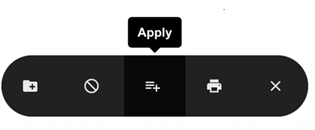
- Select the Apply button from the Floating Action Bar.
- From the Pre-Screening Question page, select your Work-Study Program eligibility option.
- Select the Next button.
- From the Application Options page, select the Create Custom Application Package button.
- Alternatively, you may select the Default Application Package button if you have a default application package already set and it contains the required documents.
- Select the Upload New Cover Letter button to upload your cover letter.
- Select the Upload New Resume button to upload your resume.
- Alternatively, you may …
- Select Existing Cover Letter and Select Existing Resume buttons if you have already uploaded these documents, or
- Select from 3 resume defaults if you have default resumes already set.
- Alternatively, you may …
- Select the Submit button.
- Select the Done button to return to the Job Search Results page.
How to Check your Application Status
- Select Work-Study Program Jobs link from the main menu.
- Select the My Applications folder link from the My Jobs section.
- Navigate to the App Status column …
- If you are eligible, the job status will display Referred.
- If you are not eligible, the job status will display Declined.
- If the employer decides to cancel the job posting, the job status will display Cancelled.
- If the employer has decided to hire you, the job status will display Employed.
How much can you earn?
Students can receive up to $2,000 per term, including vacation pay and benefits.
Employer procedures
The procedures outlined below are for the domestic and international work-study program.
Dates and deadlines
| Term | Work-Study Program Job Request Form available from | Work-Study Employer Declaration and Hiring Form available from |
|---|---|---|
| Spring 2025 | March 17, 2025 to March 24, 2025 | April 21, 2025 to June 2, 2025 |
| Fall 2025 | July 21, 2025 to July 28, 2025 | August 18, 2025 to October 1, 2025 |
| Winter 2026 | November 17, 2025 to November 24, 2025 | December 15, 2025 to February 2, 2026 |
Post a job for the work-study program
Step 1: Complete the Work-Study Program Job Request Form
You can only submit one Work-Study Program Job Request Form per term for domestic students and one for international students, and hire only one student for each job.
Note: Sign in to the Registrar Resources website first to avoid any access issues.
- Jobs will be evaluated in the order they are received.
Step 2: Work-Study job is approved by Student Awards & Financial Aid
-
Domestic and international jobs are posted on the Work-Study Program Job Board in WaterlooWorks.
Please note, this job board is accessible to students only.
Hire a student for the work-study program
Step 1: Students apply to work-study jobs
- Student Awards & Financial Aid will determine each applicant’s eligibility for the Work-Study Program.
- Job applications will be emailed to you.
Step 2: Scheduling the interview
- It is the employer's responsibility to contact the students to schedule and carry out the interview process.
Step 3: Hiring students
- Complete the Work-Study Employer Declaration and Hiring Form:
- For domestic students, complete the Domestic Work-Study Program Employer Declaration and Hiring Form.
- For international students, complete the International Work-Study Program Employer Declaration and Hiring Form.
- Note: The Work-Study Declaration Form finalizes the Work-Study Program funding arrangement between your department and the University of Waterloo. If the employer fails to provide the completed Work-Study Declaration Form, your department will be 100% responsible for the student’s salary.
Step 4: Await approval confirmation
- Do not add the student to Workday until you receive confirmation from Student Awards and Financial Aid that they have been approved for the Work-Study program.
Step 5: Hire students using Workday
- Using the Human Resources Workday User Guide For Managers (PDF) follow the instructions on Hire a Work-Study Employee for completion.
- Click submit to send to Human Resources for review.
Step 6: Paying students
- Submit payroll on Workday to Human Resources bi-weekly to ensure the student is paid. Note: The Work-Study Program covers 75% of the student's wages, up to a maximum of $1,500 (75% of $2,000), including vacation pay and benefits per academic term. All other student wages, including those over $1,500, must be paid by the employer's department account.
- Reference the Workday User Guide for Managers (PDF) Time Entry and Approval instructions.